Tenuo
Keyboard layers for macOS. Hold Caps Lock and your keys turn into navigation, shortcuts and app actions.
- Status
- Live
- Platform
- macOS
- Built with
- Swift, SwiftUI, AppKit, SQLite, CloudKit
- Source
- Open source, MIT (Pro included)
What it is
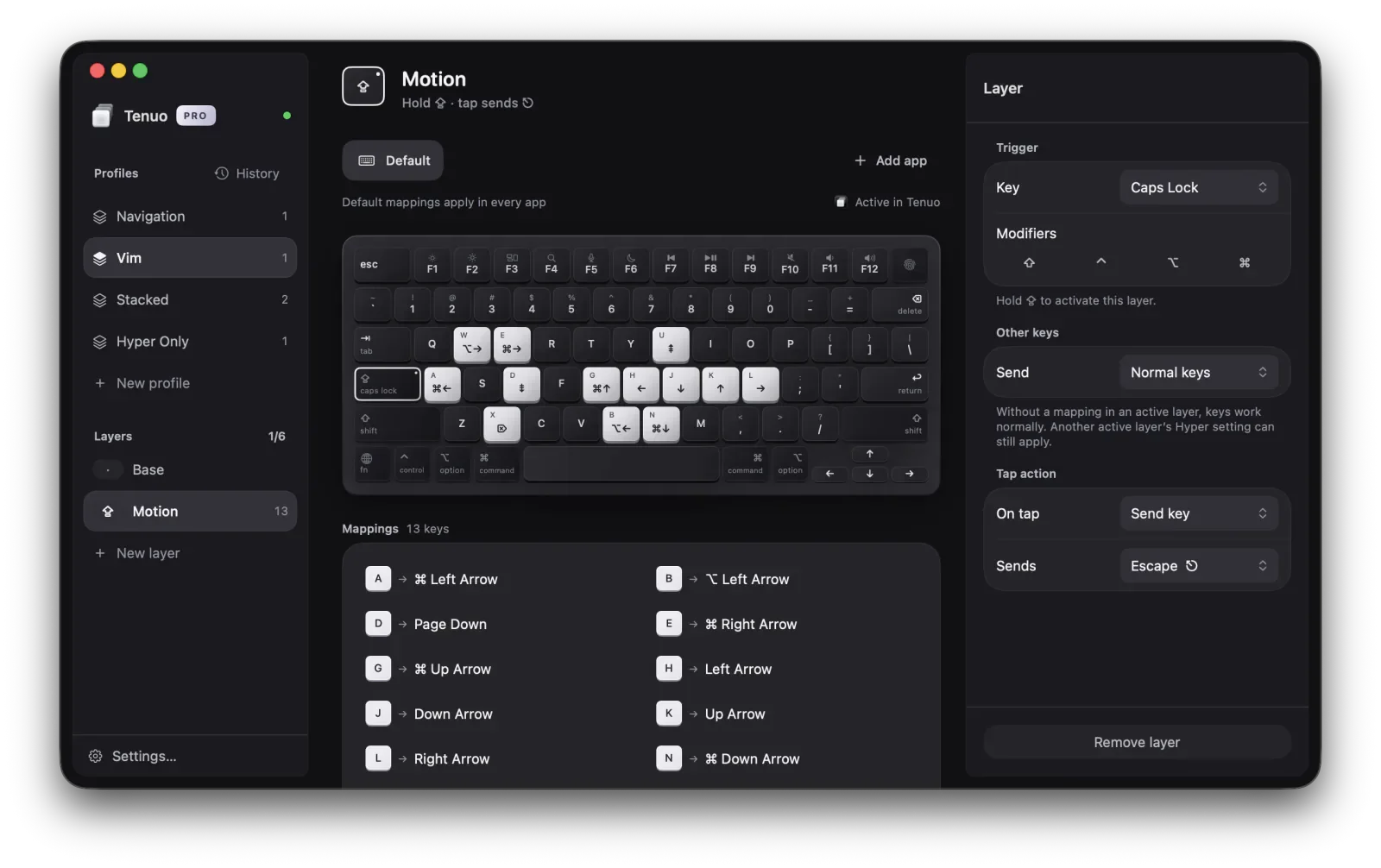
A native Mac app that adds layers to any keyboard. Hold a trigger, use the mapped keys, let go and you are back to normal typing.
The free app has profiles, a visual editor, hold, toggle and one-shot layers, and JSON import and export. Tenuo Pro adds Mac actions, per-app mappings, profile history and iCloud sync.
How it works
Keyboard: key event → CGEventTap → LayerEngine → key, shortcut or Mac action
Sync: profile edit → SQLite → CKSyncEngine → private iCloud → your other Mac
A system-wide event tap hands every key to a separate engine that resolves active layers, mappings and per-app overrides. The editor is SwiftUI; the menu bar and system integration are AppKit.
Details
- Each profile has a base layer and up to six triggered layers.
- Triggers can be Caps Lock, a modifier or another key, with an optional tap action.
- Pro actions launch apps, open files and websites, or run Apple Shortcuts.
- Profile history keeps 20 checkpoints you can compare before restoring.
- No account and no telemetry. Keystrokes never leave the Mac.